

Official Plugin Page:
https://mmltools.github.io/smart-lower-thirds/
Description:
Smart Lower Thirds is a powerful OBS Studio plugin that allows me to design, automate, and display broadcast-quality lower thirds directly inside OBS without writing HTML or CSS. In this article, I explain how it works, why it matters for professional livestreaming, and how it can completely improve a modern streaming workflow.
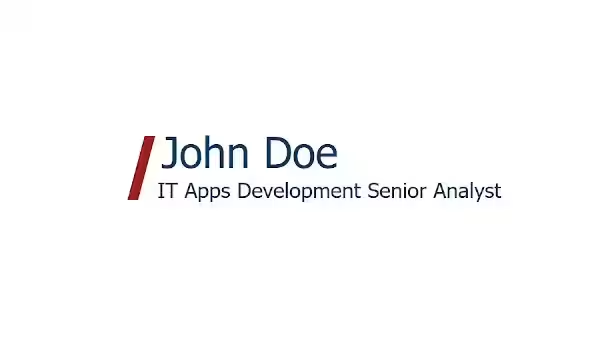
Smart Lower Thirds and the Evolution of On-Screen Branding
Lower thirds have always been essential in professional broadcasting. Whenever I introduce a guest, display my name, present a topic, or announce a new segment, the lower third is the graphic that communicates identity and context. On television, these graphics are handled by motion designers and technical operators. For independent streamers, however, achieving the same polish has traditionally required external tools, browser sources, and custom-coded templates.
Smart Lower Thirds removes that barrier. Instead of relying on third-party overlays or manually edited HTML files, I can build and control animated lower thirds entirely inside OBS Studio. The result is a cleaner workflow, fewer external dependencies, and significantly faster production control during live broadcasts.
If I can type text into a field and press a button, I can generate professional broadcast graphics in seconds.
What Smart Lower Thirds Actually Does
At its core, Smart Lower Thirds functions as a fully integrated lower-third builder and animation engine within OBS Studio. It runs a local webserver directly inside OBS, dynamically generating animated graphics that are displayed through a browser source.
All configuration happens in a dedicated OBS dock panel. I can create multiple lower thirds, name them, customize their styling, and control their animations from a single dashboard. There is no need to open external editors or manage separate web files.
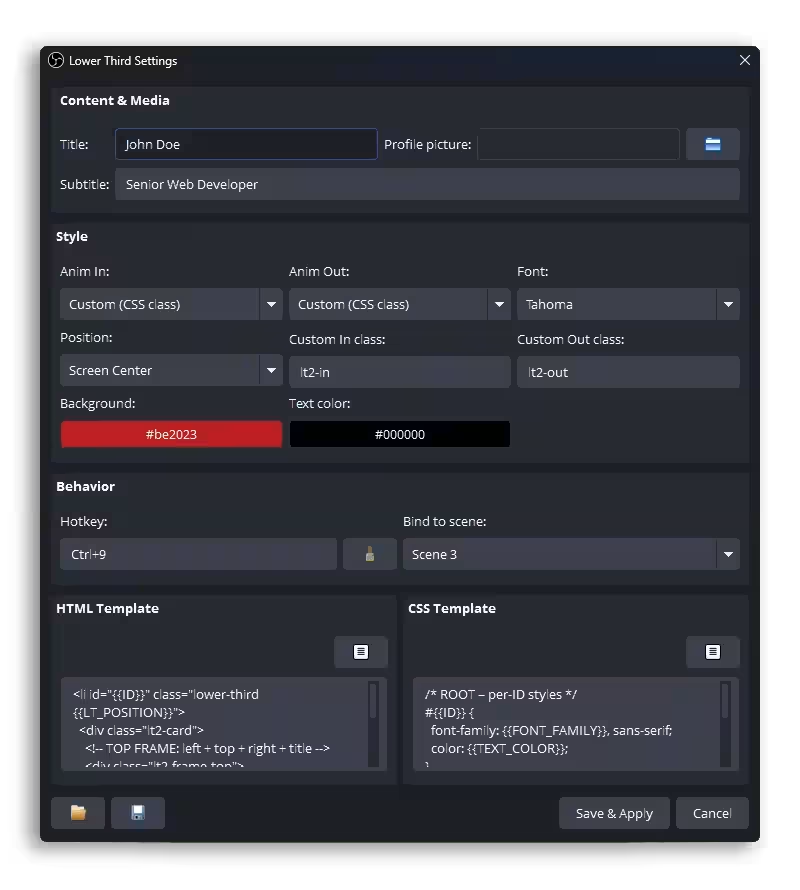
Designed for Real-World Streaming Workflows
When I stream live content, I do not have time to troubleshoot overlays or adjust CSS. I need tools that respond instantly. Smart Lower Thirds is built with real-time broadcasting in mind. It solves common problems:
- I need professional visuals without graphic design software.
- I want fast activation during live interviews.
- I need branding consistency across multiple scenes.
- I prefer everything centralized inside OBS.
Whether I am streaming on Twitch, YouTube, Kick, hosting webinars, or producing podcasts, the plugin adapts to different formats and pacing requirements. It focuses on accessibility without sacrificing quality.
Unlimited Lower Third Templates Without Coding
One of the most practical features is the ability to create unlimited reusable templates. Each lower third can include a title, subtitle, avatar image, accent colors, fonts, positioning controls, and animation settings. I can duplicate templates, edit them, or reorder them depending on the broadcast flow.

This flexibility allows me to prepare different graphics for hosts, guests, announcements, transitions, social handles, and branded segments. Everything is stored inside the plugin interface, making adjustments quick and reliable.
Integrated Local Webserver for Stable Rendering
Behind the interface, the plugin uses a local webserver to render lower thirds through an OBS browser source. From my perspective, setup is minimal. I simply add the generated URL as a browser source once, and the plugin handles updates automatically.
Because rendering happens locally, performance remains consistent across Windows, macOS, and Linux. Animations are smooth, and the visuals remain predictable regardless of system configuration.
Professional-Grade Animations
Visual motion is critical in maintaining viewer attention. Smart Lower Thirds includes multiple animation styles such as sliding, gliding, masked transitions, layered reveals, and accent-based movement. These are not basic fade-ins. They are structured animations optimized for livestream performance.
Every animation is designed to balance aesthetics and efficiency. Even during long streaming sessions, the plugin remains lightweight and responsive.
Fast Show and Hide Controls
During a live show, speed matters. I can trigger lower thirds through on-screen controls, OBS hotkeys, automatic timeouts, or server commands. This level of control ensures that I never disrupt the flow of a broadcast.
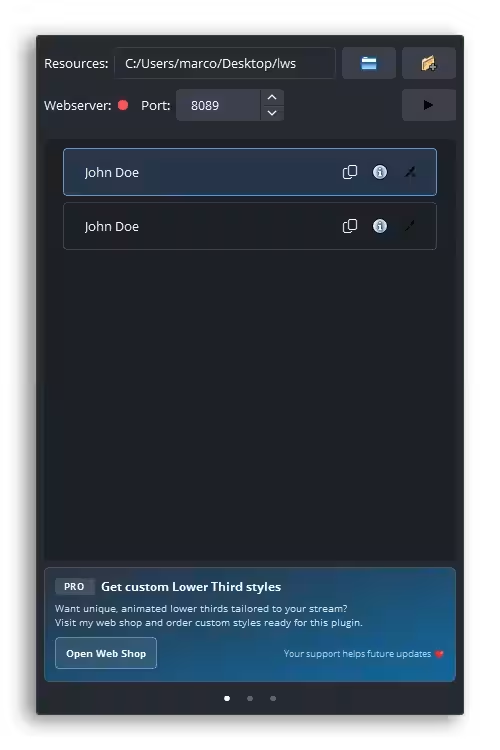
Instead of manually toggling visibility across scenes, I manage everything from one structured interface. That centralization dramatically reduces stress during live production.
Custom Branding and Visual Identity
Branding consistency is one of the most important factors in growing a channel. Smart Lower Thirds allows me to define accent strips, font choices, color schemes, rounded or sharp borders, and avatar integration. This makes it possible to maintain a cohesive visual identity without hiring a motion graphics designer.
The ability to add profile images and themed styling ensures that my content feels modern and aligned with professional broadcast standards.
Automatic Scene Integration in OBS
Once configured, each lower third generates a browser source URL. I can reuse this source across multiple scenes or dedicate specific sources to unique layouts. When I edit a template, updates apply globally. There is no need to rebuild overlays or duplicate configurations.
This integration significantly improves efficiency, especially when managing complex scene collections.
Why I Recommend Smart Lower Thirds
After using the plugin extensively, I can identify several advantages:
- It reduces setup time and ongoing maintenance.
- It elevates production quality instantly.
- It requires no coding knowledge.
- It remains stable during long broadcasts.
- It works consistently across operating systems.
These benefits make it suitable for streamers, educators, event organizers, interview hosts, and professional presenters.
Free and Open Source with Optional Support
Smart Lower Thirds is free and open source, which means I can use and modify it without restrictions. However, development at this level requires significant time and effort. The developer offers premium templates through a Ko-fi shop for users who wish to support continued development.
Final Thoughts
Smart Lower Thirds represents a major step forward in OBS Studio plugin design. It bridges the gap between high-end broadcast graphics and independent content creation. By integrating animation, template management, and branding tools directly inside OBS, it simplifies what used to be a complex technical process.
If I want professional lower thirds without external software, coding, or design overhead, this plugin provides a practical and reliable solution. For any serious streamer or content creator focused on improving on-screen identity, Smart Lower Thirds is an extremely valuable addition to the OBS workflow.


